
Apple CarPlay Plus
A driver could use CarPlay for music and directions, then have to leave it to adjust the car. I built an iOS prototype exploring how Porsche controls could live in that same experience.
- Team
- — Small cross-functional Porsche Digital innovation team
- Industry
- — Automotive, In-car Software, Connected Experiences
Tools & technologies
The Problem
Basic vehicle controls forced drivers out of CarPlay.
The approach
How the work took shape
Choose the moments worth bringing in
We looked at where phone content and vehicle functions met during a drive. The useful opportunities were familiar actions, such as comfort controls, that could be simpler when they shared the same context. That gave the prototype a focused set of scenarios.
Build enough to feel the difference
I turned the concepts into a working iOS prototype with native Apple frameworks. Trying the flows exposed questions that static screens left open: how navigation behaved, when state changed, and where platform constraints limited the idea. Vehicle services were simulated where production integrations were not available.
Ask less of the driver
We kept the screens sparse and the actions shallow. Clear state changes and familiar patterns helped the prototype communicate what had happened without asking for a long look. The Porsche character came through in the details within those limits.
The hard parts
The constraint
Porsche controls had to fit Apple's interaction patterns and in-car constraints.
The decision
I used native behavior as the foundation and kept the controls visually simple and easy to scan.
The constraint
The team needed to try the idea before every vehicle integration was available.
The decision
I separated native interface behavior from simulated vehicle services so the experience could be tested and discussed.
In-Car Experience
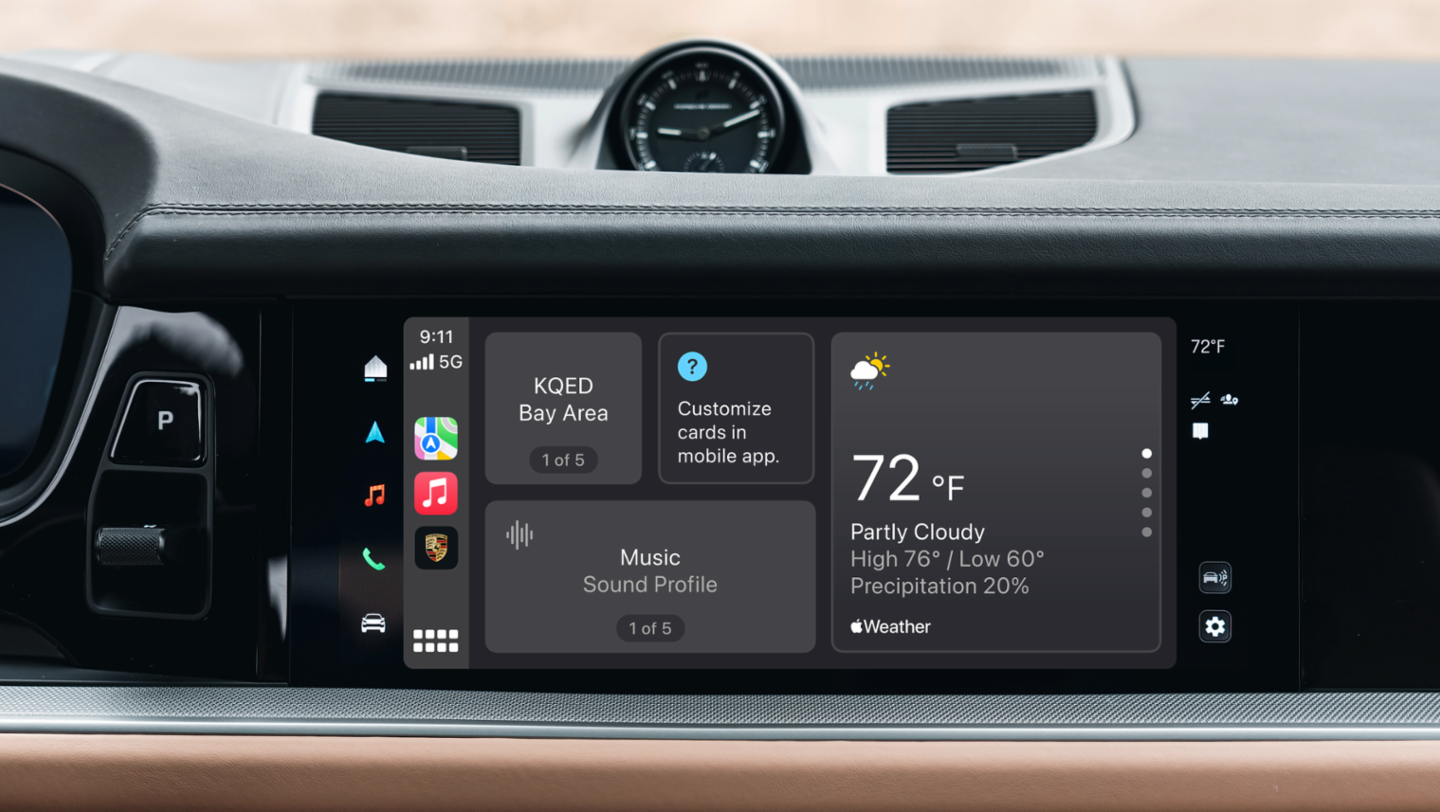
Vehicle at a Glance
Vehicle information appears alongside the navigation and media context already in CarPlay.
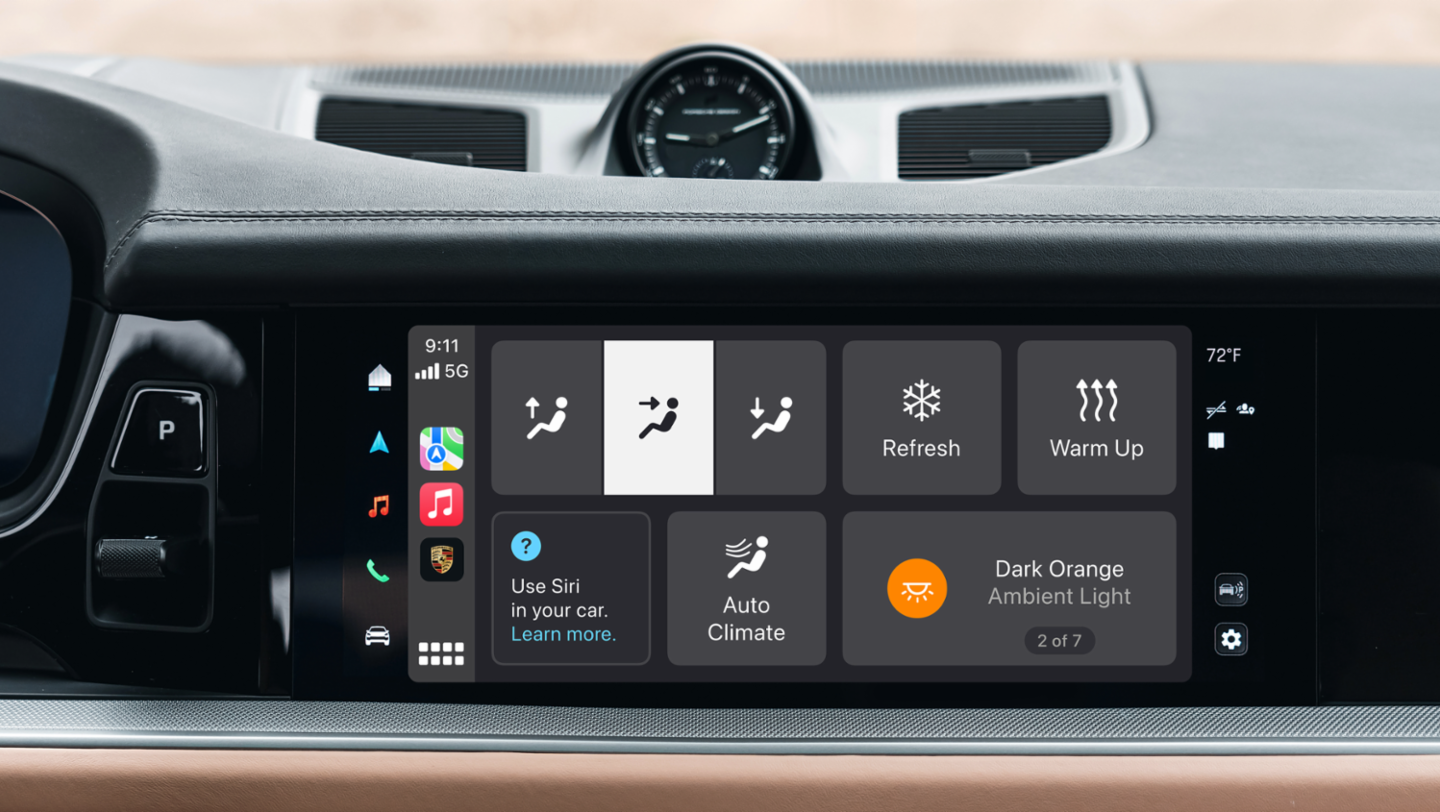
Climate & Lighting
Comfort settings stay close to the surface, with clear states and short paths to an adjustment.
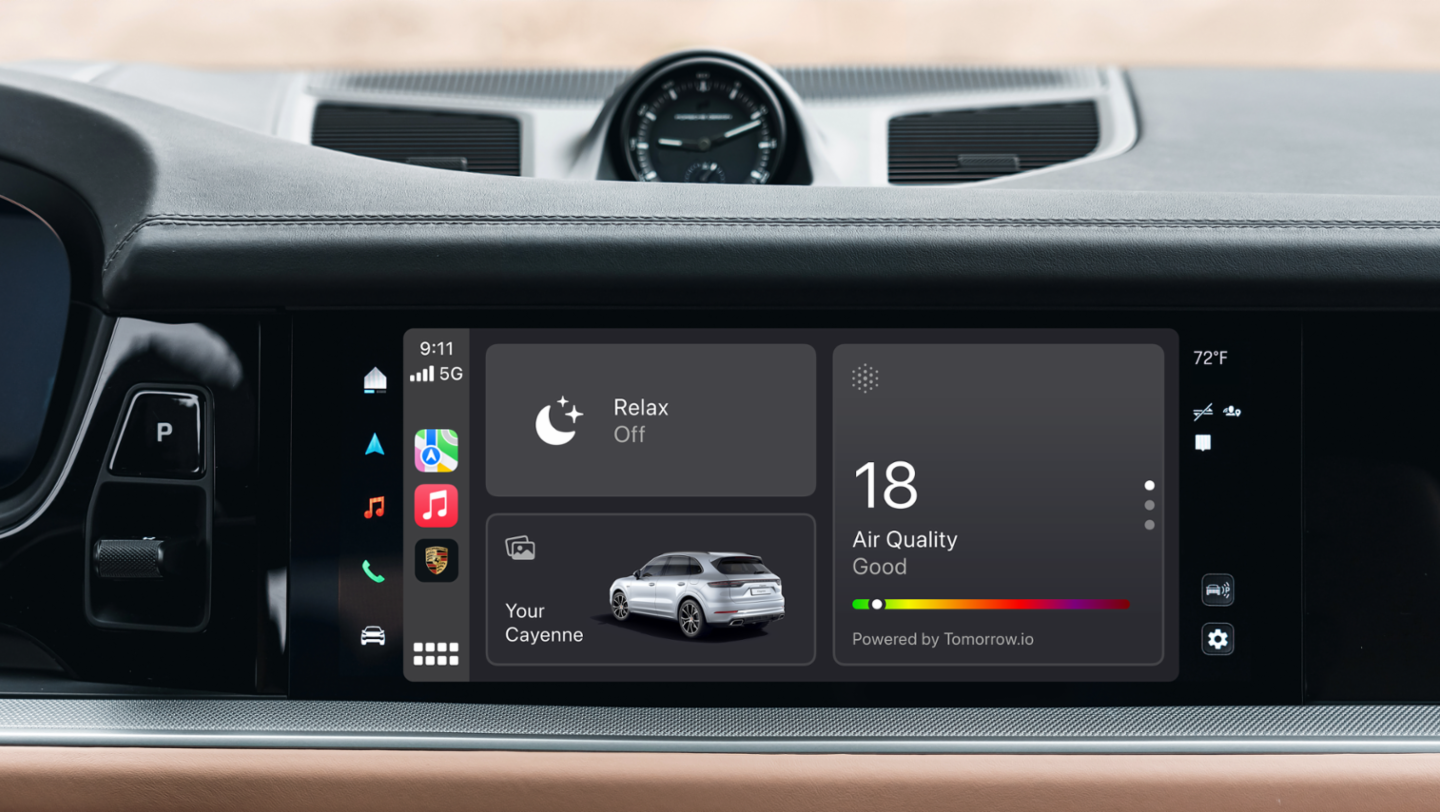
Wellness Modes
A single mode coordinates climate, audio, and lighting within the CarPlay experience.
The outcome
What changed
The result
- ✓Delivered a working iOS prototype for product, design, engineering, and automotive stakeholders.
- ✓Made navigation, state, and vehicle integration constraints visible before production investment.
Looking back
Working software made the limits of the idea easier to see. It helped the team distinguish a useful integration from another layer of controls.
In a car, a clear response to one tap can matter more than how much a screen can do.
Where I contributed
Product
- Helped choose the driving moments worth testing and surfaced feasibility questions.
Design
- Refined navigation, visual density, and feedback for an in-car setting.
Engineering
- Built the native prototype and separated interface behavior from simulated vehicle services.
Related projects
DesignCar
Founder/CEO
A Porsche Digital spinout I founded and grew to 300K+ downloads in under six months.
ShopApp by Lululemon
Senior iOS Engineer
Helping guests get from a product link to a dependable purchase, with better feeds, launch timing, and native UI.
Motif
Design Lead
Helping people turn a photo library into something they could hold. Featured at WWDC 2018; later acquired by Mimeo.