
Tandem
Tandem is an AI collaborator that understands the work on your screen, recommends useful next steps, and carries tasks across your tools. I built the experience around a simple handoff: see the opportunity, review the recommendation, and let Tandem move the work forward.
- Industry
- — AI, Workflow Automation, Computer Use
- Website
- — gettandem.app
Tools & technologies
The Problem
The work between your apps is still your job. Tandem turns repeated effort into workflows you can review and delegate.
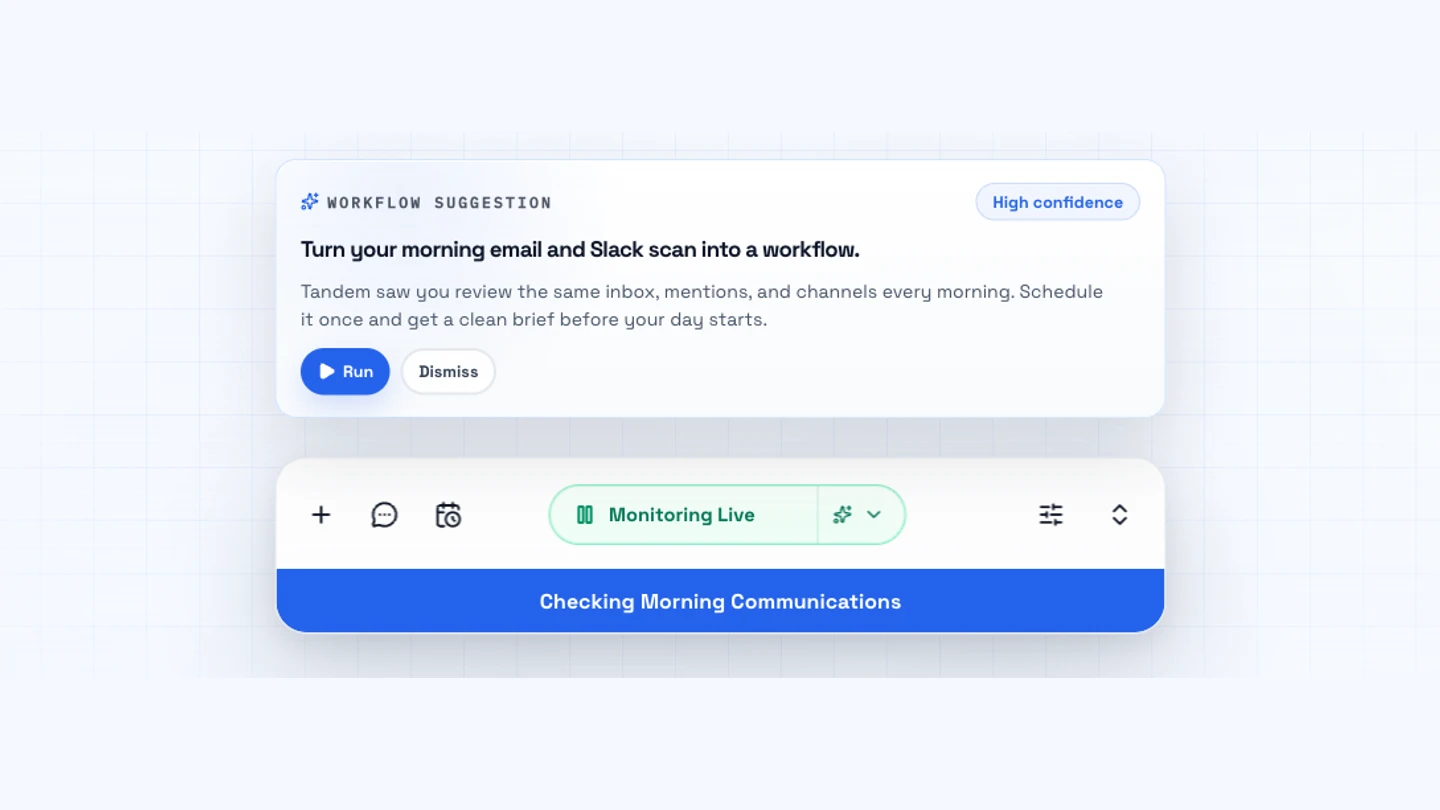
A workflow recommendation and the desktop monitoring surface, captured from Tandem’s public product demo.
The approach
How the work took shape
Start with context
Most assistants begin with an empty prompt. Tandem starts with the work already happening on the computer. Its monitoring loop captures context, analyzes patterns, and produces recommendations. Keeping observation separate from execution gives the user a chance to decide whether a suggested workflow is useful before running it.
Make the handoff explicit
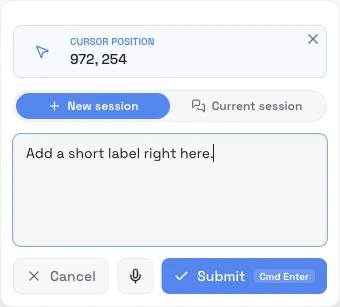
A recommendation needs to explain what Tandem noticed and what it proposes to do. The interface puts that explanation beside Run and Dismiss, while the desktop surface keeps monitoring and task status visible. Tandem Cursor offers a more direct entry point: point at a location, select an area, or capture a window and attach that context to a request.
Carry work across tools
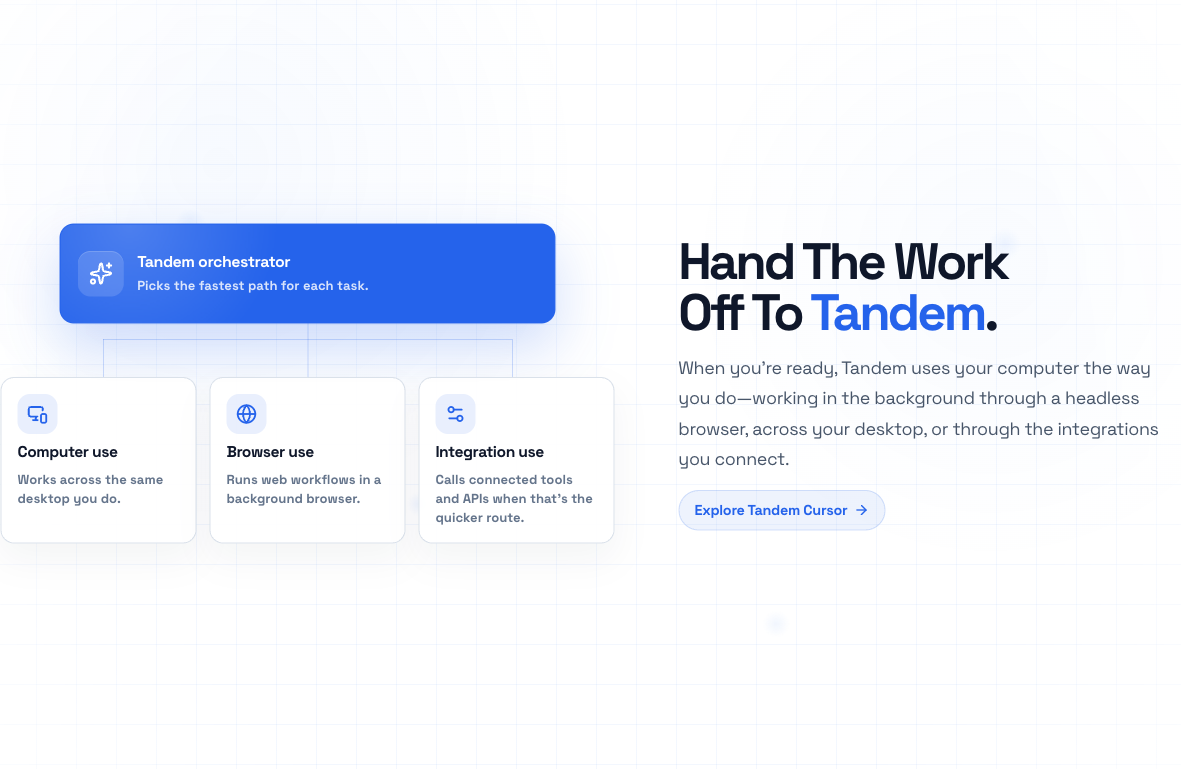
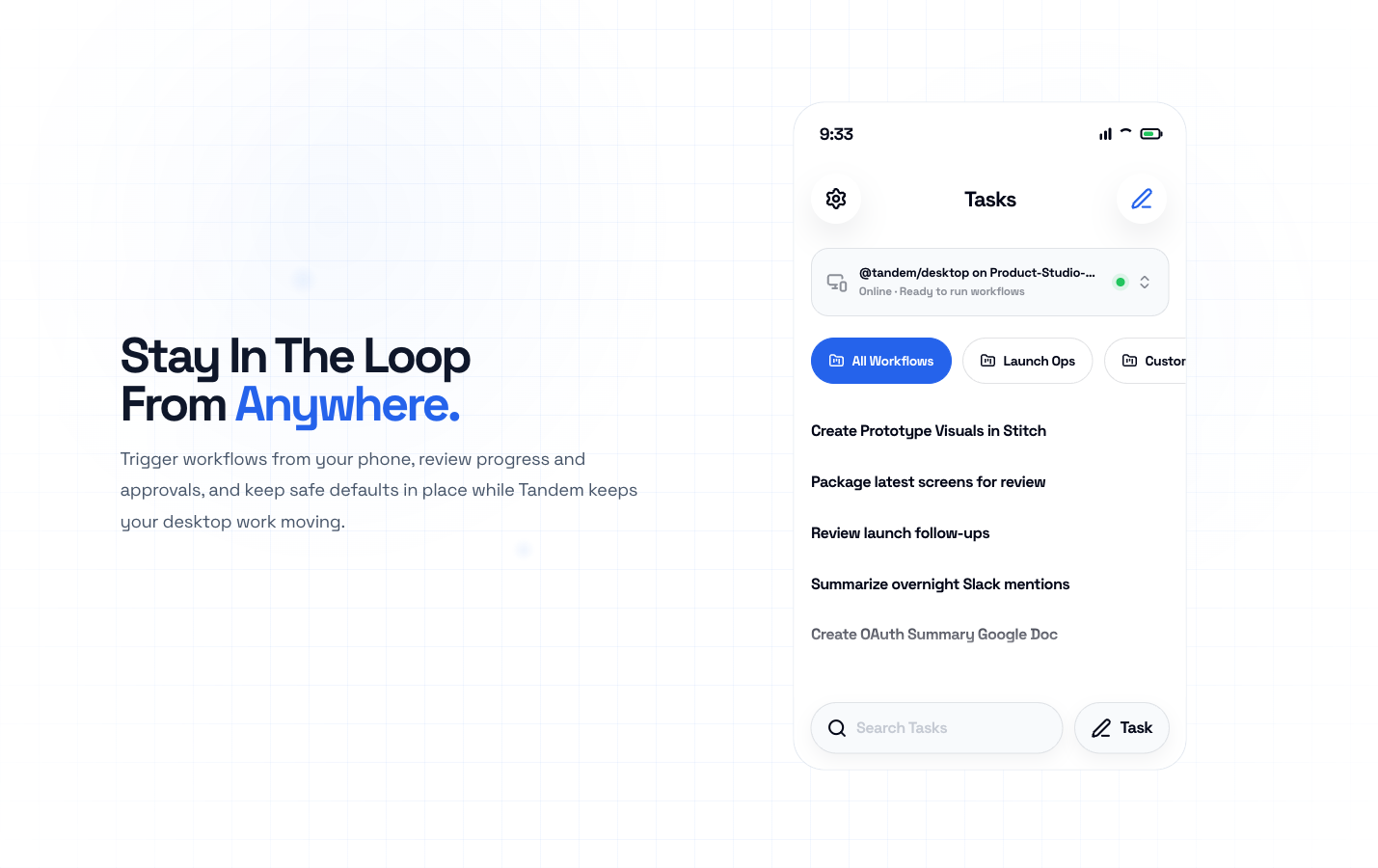
The execution layer supports computer control, a background browser, and connected tools through MCP. Memory and skills preserve useful context, while the run coordinator handles progress and approval pauses. A SwiftUI companion extends the experience to the phone so users can start workflows and review their desktop work remotely.
Inside the experience
Select a screenshot to view it full size.
The hard parts
The constraint
Proactive help can become another interruption if the user cannot understand or dismiss it.
The decision
Keep the recommendation concrete: the repeated activity, the proposed workflow, and a clear choice to run or dismiss. Show monitoring status separately so observation does not look like execution.
The constraint
An agent’s ability to use a computer is different from permission to take a particular action.
The decision
Separate operating-system permissions from run-level approvals. Permission requests follow a user action; sensitive execution steps can pause for review, then resume or be denied through the run coordinator.
The constraint
Work may continue across apps, sessions, and machines while the user is elsewhere.
The decision
Keep memory, task state, and execution coordination distinct from the interface. Show the connected desktop alongside mobile tasks so the user can understand where the work will happen.
The outcome
What changed
The result
- ✓A downloadable desktop AI collaborator with monitoring, recommendations, and task execution.
- ✓An execution architecture spanning computer use, browser workflows, and connected tools, with memory, skills, and approval handling.
- ✓A contextual Tandem Cursor surface and a mobile companion for staying connected to desktop tasks.
Looking back
Proactive AI puts more weight on the moment before execution. A recommendation has to make the proposed work understandable enough for someone to accept or dismiss it.
An agent needs more than a conversation history. Visible task state, a clear execution location, and reviewable handoffs help people understand what is happening while work continues.
What I'd explore next
Continue evaluating recommendation relevance and timing, especially when a recurring pattern is not actually a task the user wants to delegate.
Make recovery from interrupted workflows and cross-device approval handoffs easier to understand.
Where I contributed
Tandem connects product strategy, interaction design, and agent engineering around the same question: when is the system ready to take useful work off someone’s plate?
Product
- Shaped the context-to-recommendation-to-execution workflow and the connection between desktop and mobile.
Design
- Designed reviewable recommendations, visible run state, and contextual requests through Tandem Cursor.
Engineering
- Connected the Electron desktop experience, agent runtime, tool integrations, and companion surfaces.
Related projects
Vy by Vercept
Senior Product Designer & Engineer
An AI desktop assistant people could direct, monitor, and interrupt. Vercept was acquired by Anthropic in February 2026.
ClawFi
Indie Developer
A research API where AI agents share market observations, compare evidence, and build context.
SwiftLM
ML Engineer
A Swift coding model I fine-tuned on one GPU, published on Hugging Face, and set up to run locally.